.svg)
Admin Feature
Editing the website is an account owner-level permission. If you don't see this option, contact your account owner to enable these permissions for you.
Getting your website indexed by Google is the first step to showing up in search results when buyers and sellers look for homes, communities, and local real estate expertise. Google Search Console is a free tool that helps you tell Google your website exists and monitor how it performs in search.
Need to Know
- Google does not automatically index every website. You need to manually submit your website through Google Search Console
- Indexing is required before your pages can appear in search results
- Indexing is not instant and can take several days or weeks after submitting your website
- Indexing your website is free
Table of Contents
How to Submit Your Website to Google Search Console
This section walks you through submitting your Real Geeks website to Google so it can be indexed and appear in search results.
Step-by-Step Instructions
-
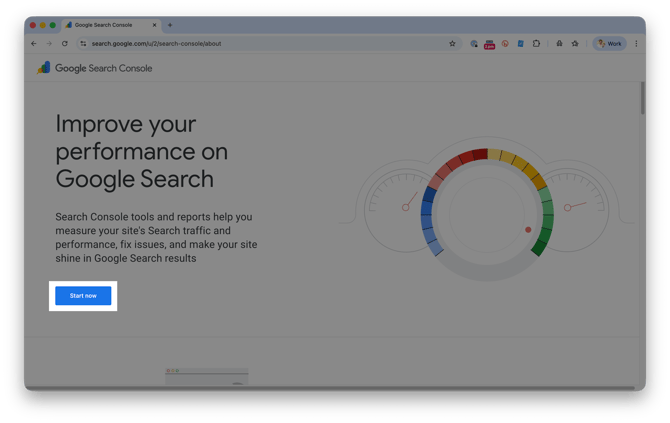
Go to Google Search Console home page and click Start Now
-
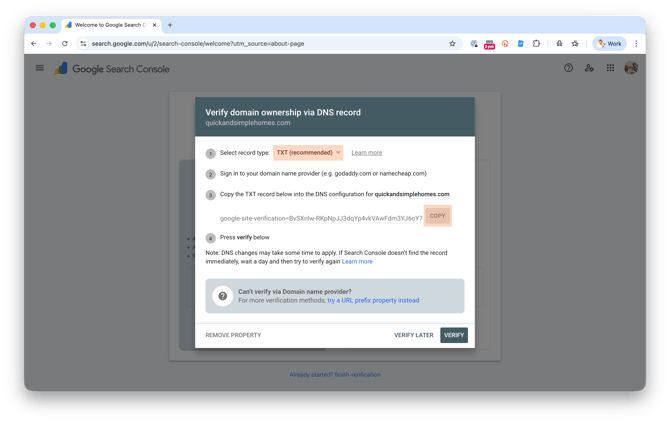
Under Domain, enter your full website address (www.yourwebsite.com)
-
Click Continue
-
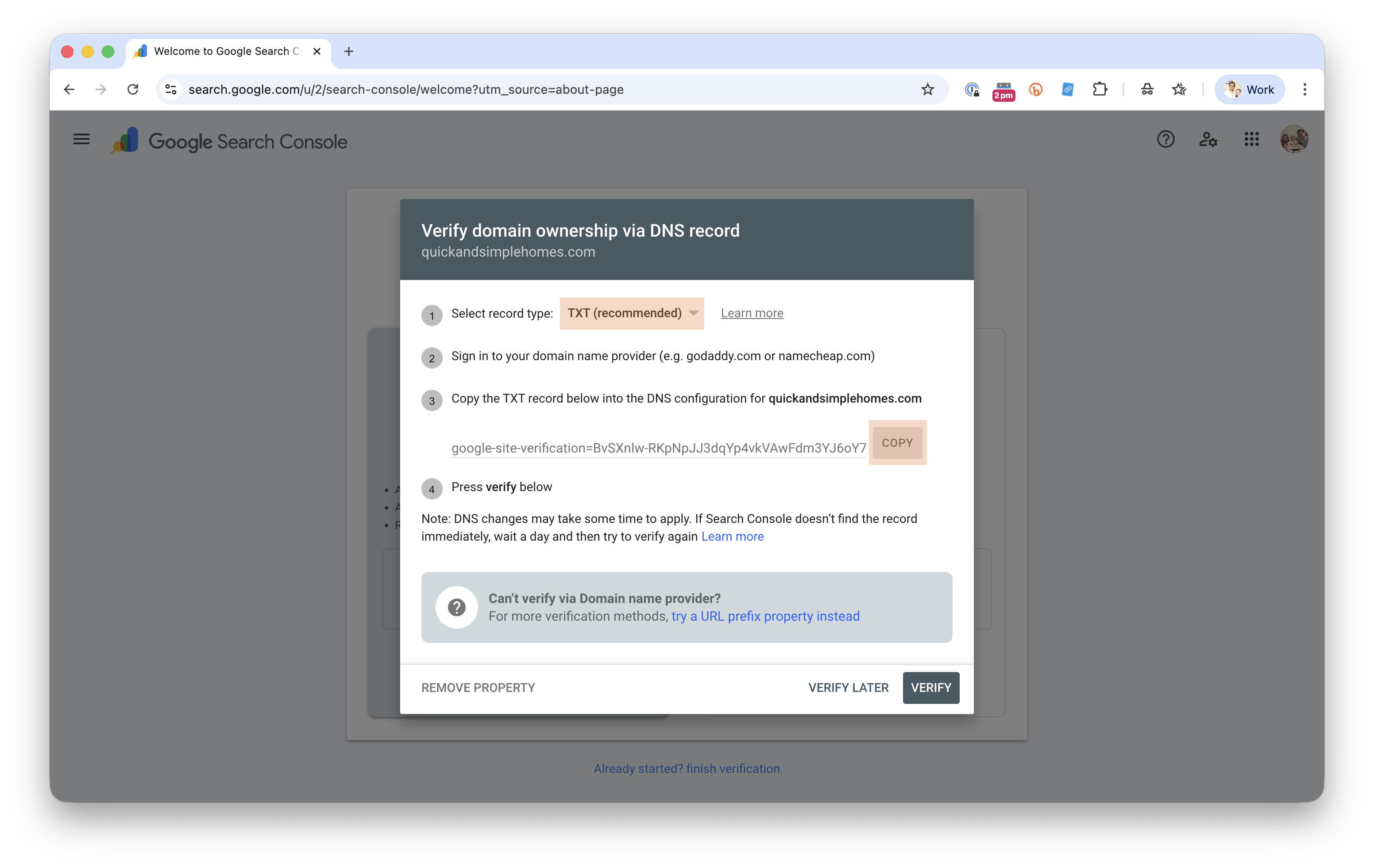
Select the TXT (recommended) verification method
-
Copy the TXT verification code
-
Send the code to support@realgeeks.com so Real Geeks support can add this to your website
-
Support email responses can take up to 1-2 business days for a response.
-
For more immediate assistance call us at 844-311-4969 to have a member of our team look at your email quicker.
-
-
After confirmation from support, click Verify
-
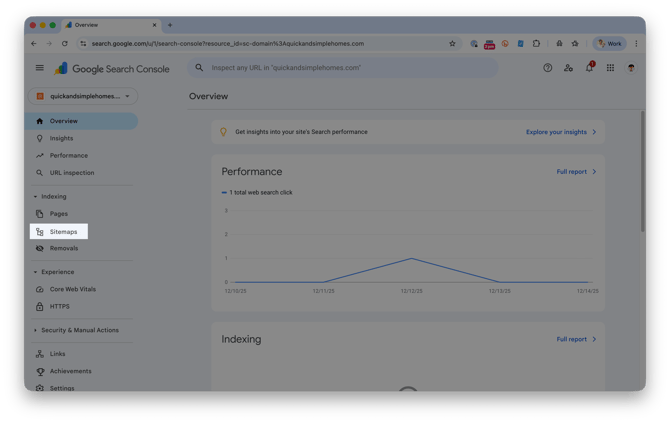
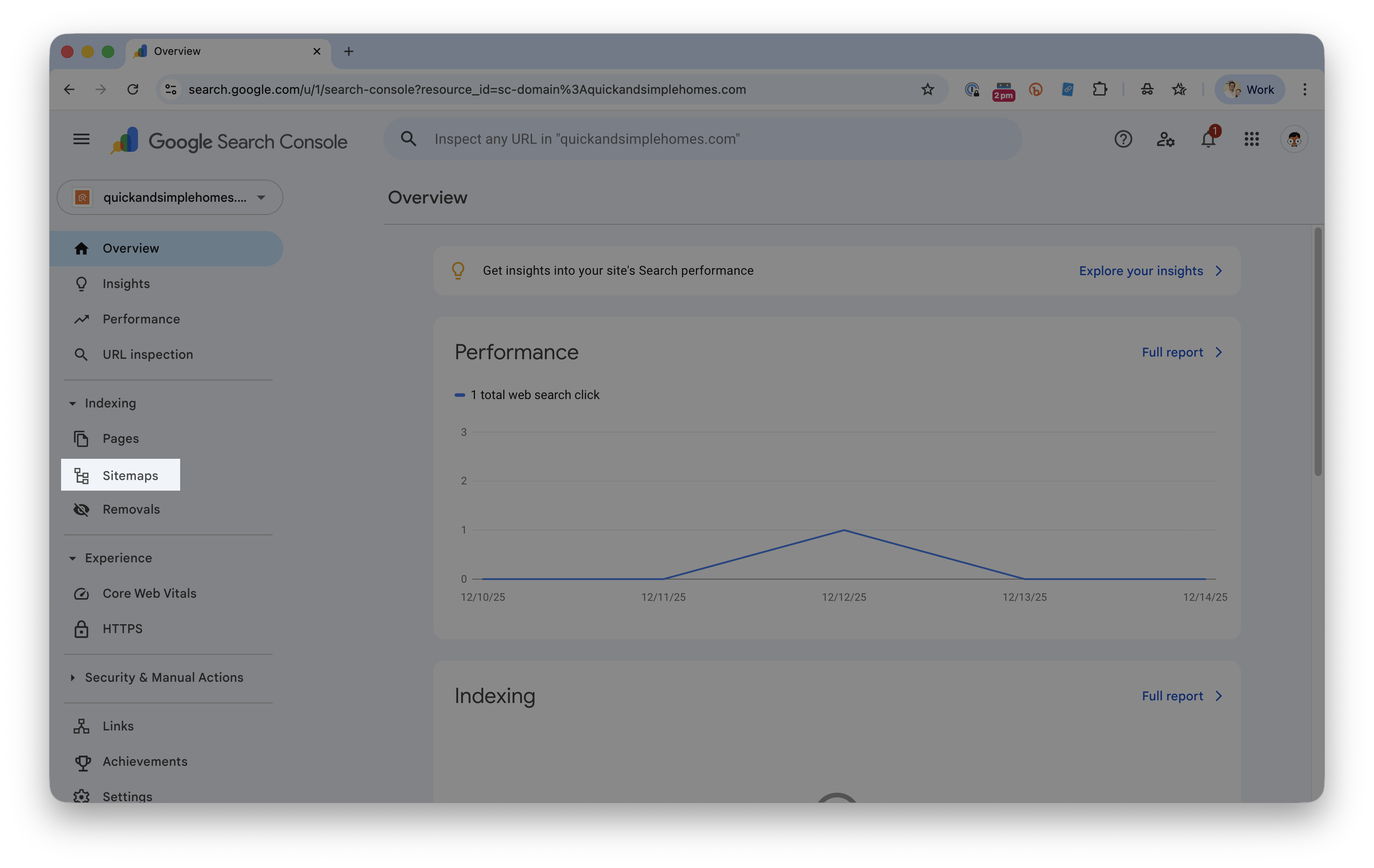
Select Sitemaps in the left-hand menu
-
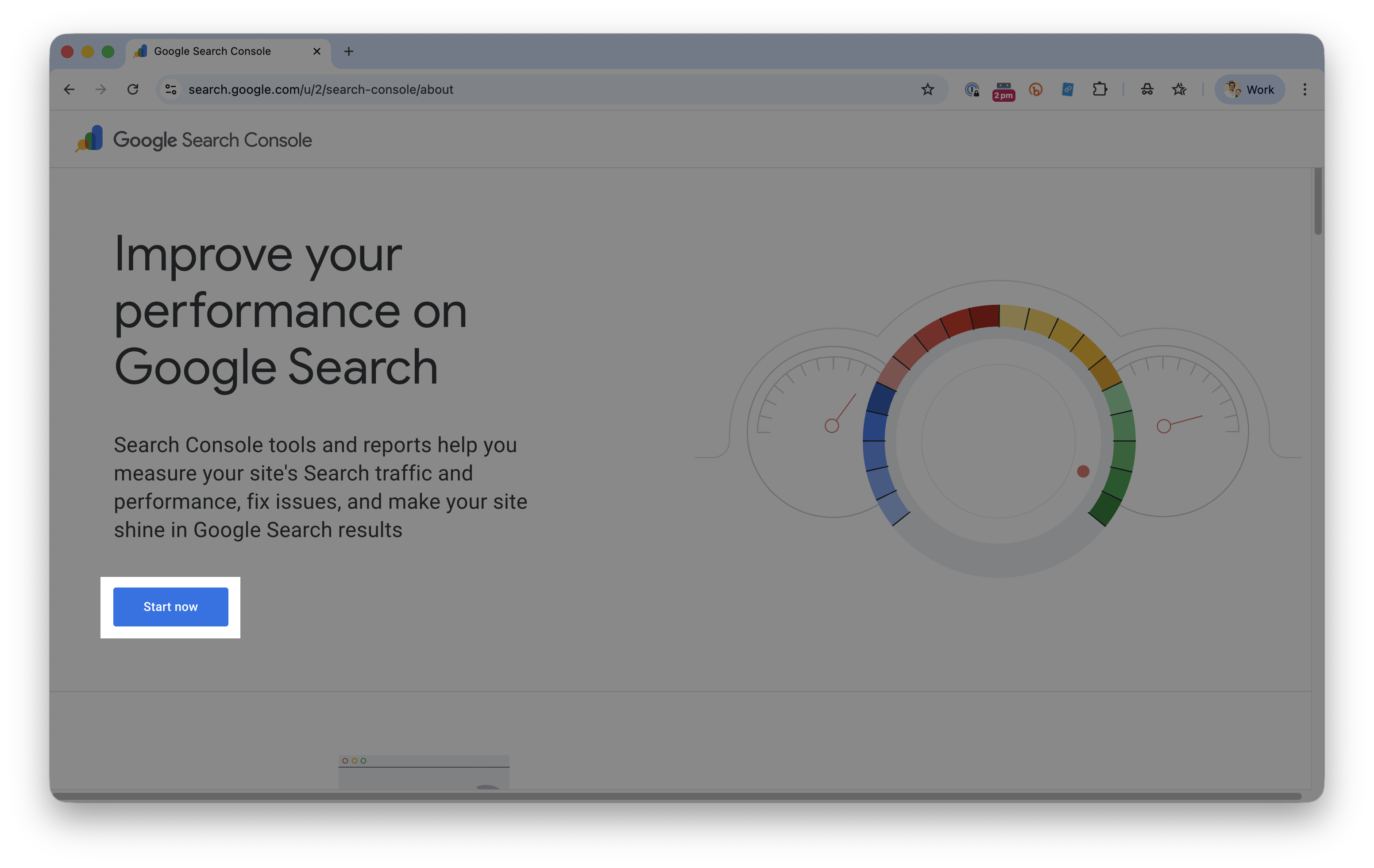
Enter your full website address (including https://) with /sitemap.xml at the end
-
Example: https://www.quickandsimplehomes.com/sitemap.xml
-
-
Click Submit
Create and Submit a Custom Sitemap (Advanced)
Should You Create Your Own Sitemap?
In most cases, no.
Custom sitemaps are for advanced users with SEO experience. For most users, we recommend keeping the sitemap automatically generated and maintained by Real Geeks.
When to use a custom sitemap
-
You have professional SEO or technical marketing experience
-
You intentionally want to control which pages Google crawls
-
You understand Google’s sitemap formatting requirements
If you have an XML sitemap you want to use instead of the Real Geeks default:
-
Open your website editor by adding
/adminto the end of your website address. For example:www.yourwebsite.com/admin -
Click SEO Files

-
Select Add SEO File.
-
Open the Name menu and select sitemap.xml.

-
Enter or paste your custom sitemap text into the editor.
-
Click Save.
Once complete, submit /sitemap.xml in Google Search Console following the steps above.
Best Practices
Following these best practices helps Google index your site more efficiently and improves long-term visibility.
- Submit your sitemap as soon as your site is live
- Keep your website active by publishing new content regularly. This could be blog posts, new pages, or updating existing content
- Focus on helpful, local content for buyers and sellers that answers common real estate questions people search for on Google.
Troubleshooting
If your site does not verify or pages are not indexed, review the common issues below.
- When submitting your sitemap to Google, you need to include https:// AND include /sitemap.xml
- Make sure the TXT record was added exactly as provided by Google
- Allow time for DNS changes to update before clicking Verify
- Confirm your domain is fully connected and your site is live
- Check Google Search Console for indexing errors or warnings
Frequently Asked Questions
-
How long does it take for my site to appear on Google?
Indexing can take anywhere from a few days to several weeks depending on Google’s crawl schedule. -
Do I need to resubmit my site every time I make changes?
No. Once verified, Google will continue to crawl your site automatically. -
Does submitting my site guarantee I will rank on Google?
No. Indexing allows your site to appear in search results, but rankings depend on content quality, relevance, and competition. -
Is Google Search Console required?
It is not required, but it is strongly recommended to have your website appear in search results and also monitor your website's visibility and overall website health.
Need Help?
-
Call us at 844-311-4969 (Mon–Fri, 8 AM–8 PM CST)
-
Email support@realgeeks.com
-
View our Live Events page for free coaching and training.
-
Join the Real Geeks Mastermind Group on Facebook for peer tips and best practices