.svg)
If you forgot or lost your Real Geeks password, you can reset it quickly and securely. Follow the steps below to create a new password and regain access to your account.
Need to Know
-
You must use the email address associated with your account
-
Password reset emails are sent immediately after request
-
Not Getting the reset email? Check your spam folders
Table of Contents
How to Reset Your Password
-
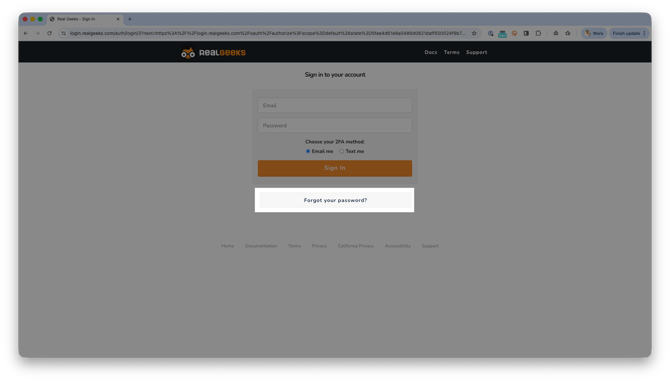
Go to the Real Geeks login page and click Forgot My Password.
-
Enter the email address associated with your account.
-
Check your inbox for the password reset link.
-
Click the link in the email.
-
Create and confirm your new password.
-
Log in with your updated credentials.
If you don’t see the email within a few minutes, follow the troubleshooting steps below.
What to Do If You Didn’t Receive the Reset Email
If your password reset email does not arrive, try the following steps:
-
Check Your Spam Folder: Sometimes, password reset emails can be filtered into your spam or junk folder. Make sure to check these folders in your email account.
-
Verify Your Email Address: Ensure that you are entering the correct email address associated with your account when requesting the password reset. A small typo can prevent the email from being sent to the right place.
-
Request a New Password Reset Email: If you did not receive the email after checking your spam folder and verifying your email address, try requesting a new password reset email.
-
Contact Support: If you still haven't received the reset email, contact Real Geeks Support directly. Have your account email address ready to help us verify your identity quickly.
Frequently Asked Questions
-
How long does the password reset email take to arrive?
It is sent immediately. Most users receive it within a few minutes. -
Can I request multiple password reset emails?
Yes. You can request another reset link if needed. -
What if I no longer have access to my email address?
Contact support so we can help verify your account and update your login details. -
Why is the reset link not working?
Password reset links expire after a set period of time. If your link is no longer working, return to the login page and request a new one.
Need Help?
-
Call us at 844-311-4969 (Mon–Fri, 8 AM–8 PM CT)
-
Email support@realgeeks.com
-
Visit Real Geeks University for free video courses
-
Join the Real Geeks Mastermind Group on Facebook for peer tips and best practices