.png?width=500&height=146&name=Real%20Geeks%20Primary%20Logo%20Black%20(3).png)
Personalize your blog home page by updating the header image to a high-quality, on-brand photo that reflects your market, your team, or your unique value as an agent. Choose an image that feels professional, is easy to recognize, and aligns with the look and feel of the rest of your site so visitors immediately know they’re in the right place.
Instructions
-
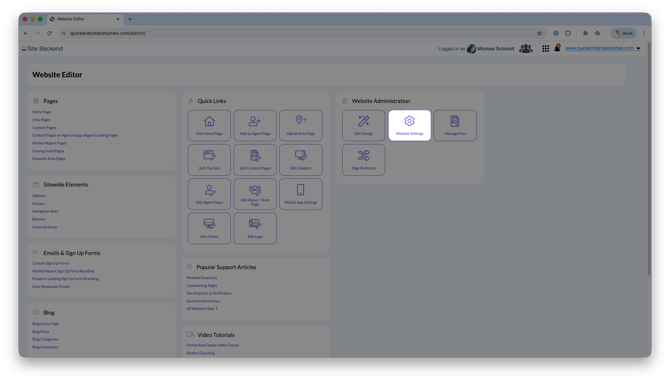
Open your website editor by adding /admin to the end of your website address (e.g. www.yourwebsite.com/admin)
-
Navigate to Website Settings.
-
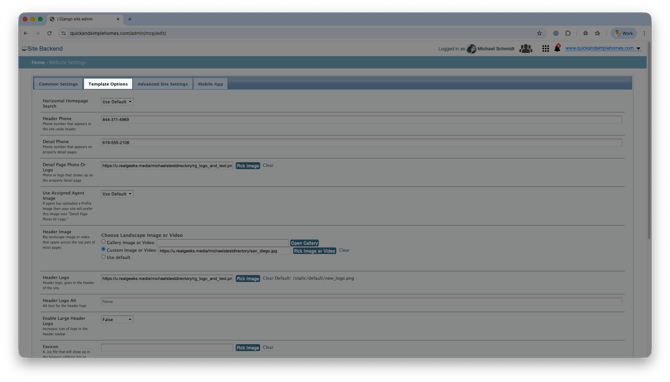
Select Template Options.
-
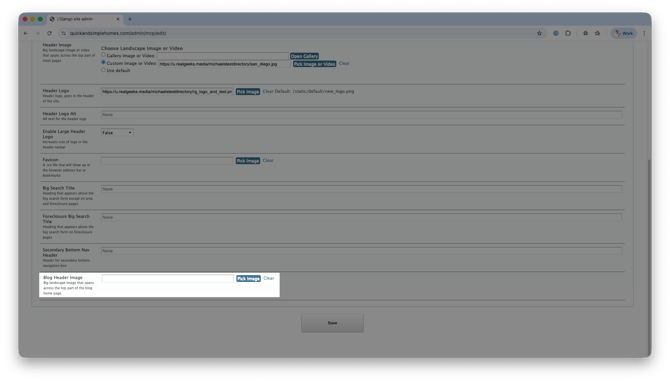
Look for the Blog Header Image option.
-
Click Pick Image
-
Upload a New Image or Select an Existing One
-
Click Save