.svg)
The MoveTo Mobile App is your branded home search experience for buyers on iOS and Android. It connects directly to your Real Geeks website, keeping your branding front and center while giving you visibility into lead activity. Instead of sending prospects to national portals, the MoveTo app keeps the relationship tied to you from the very beginning.
Need to Know
-
The MoveTo Mobile App is connected directly to your Real Geeks Website
-
Share your personalized MoveTo download link or direct leads to your website on a mobile device. They should NOT search for or download "MoveTo" in the app store, or they won’t be connected exclusively to your website and CRM.
-
Lead activity inside the app syncs exclusively with your CRM when shared properly
-
Push notifications alert leads instantly about new listings
Table of Contents
What Is the MoveTo Mobile App?
The MoveTo Mobile App is your personal, branded property search app. It mirrors the search experience on your Real Geeks Website while delivering a faster, app-based experience for mobile users.
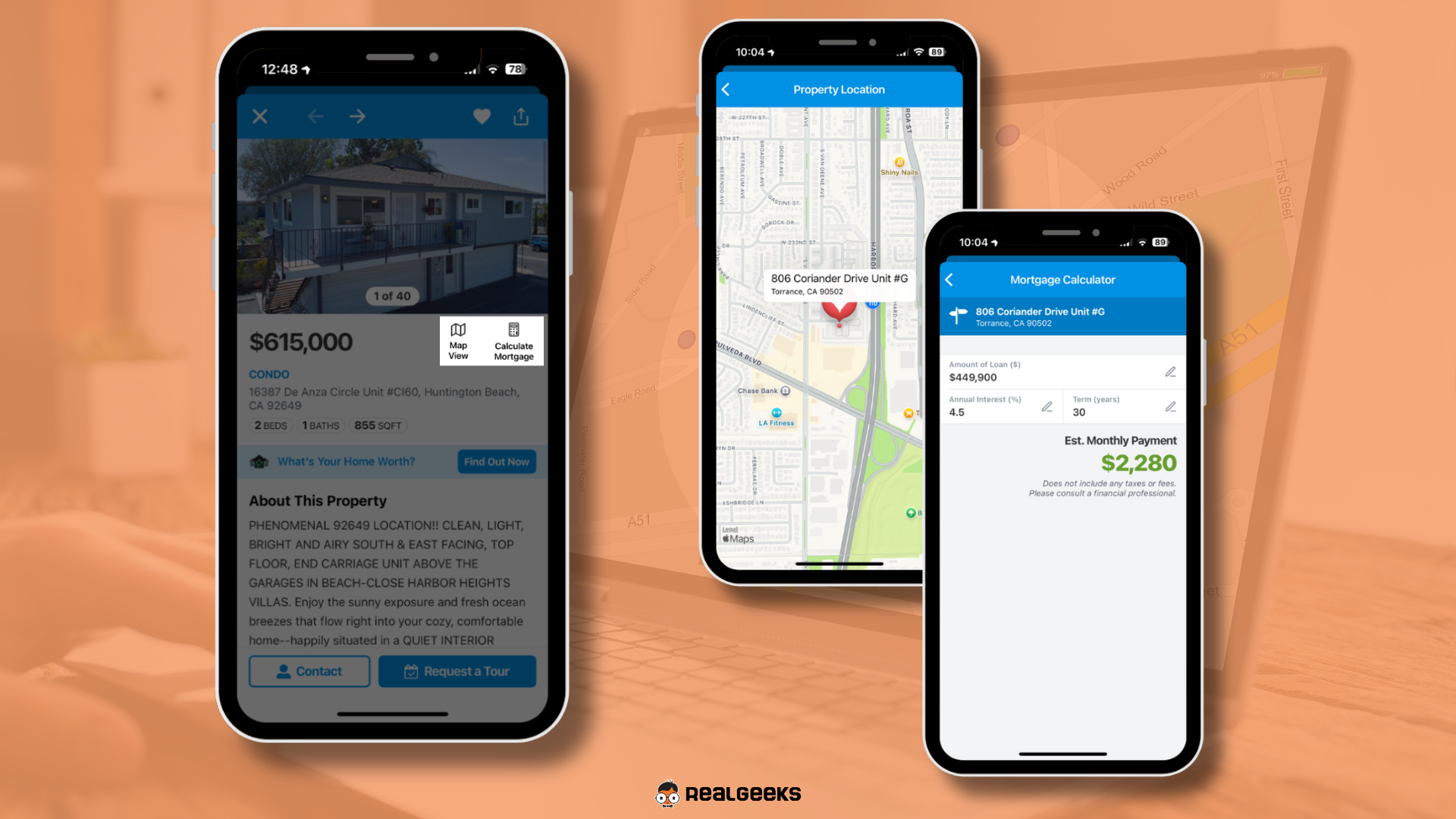
Every listing your lead views, favorites, or searches inside the app is tied directly to your CRM. That means you can see their behavior and follow up with relevant conversations at the right time.
Unlike national portals, the MoveTo app keeps your branding and contact information visible on every screen. The experience is focused, professional, and connected entirely to you.
Why the MoveTo App Matters
The MoveTo app strengthens the connection between you and your leads.
-
Keeps your branding front and center during the home search
-
Provides visibility into saved properties and searches
-
Sends instant push notifications for new listings
-
Includes built-in Contact Agent and Schedule Tour buttons
-
Reduces distractions from competing agents and ads
This creates a more intentional search experience while giving you better insight into buyer behavior.
How Leads Access the App
It is important that leads access the MoveTo app through you.
Important
Leads must not search for or download "MoveTo" directly from the App Store or Google Play.
The MoveTo app is a shared platform used by all Real Geeks clients. If a lead downloads it without using your personalized website link or invitation, they will NOT be exclusively connected to your website and CRM.
Mobile Website Banner
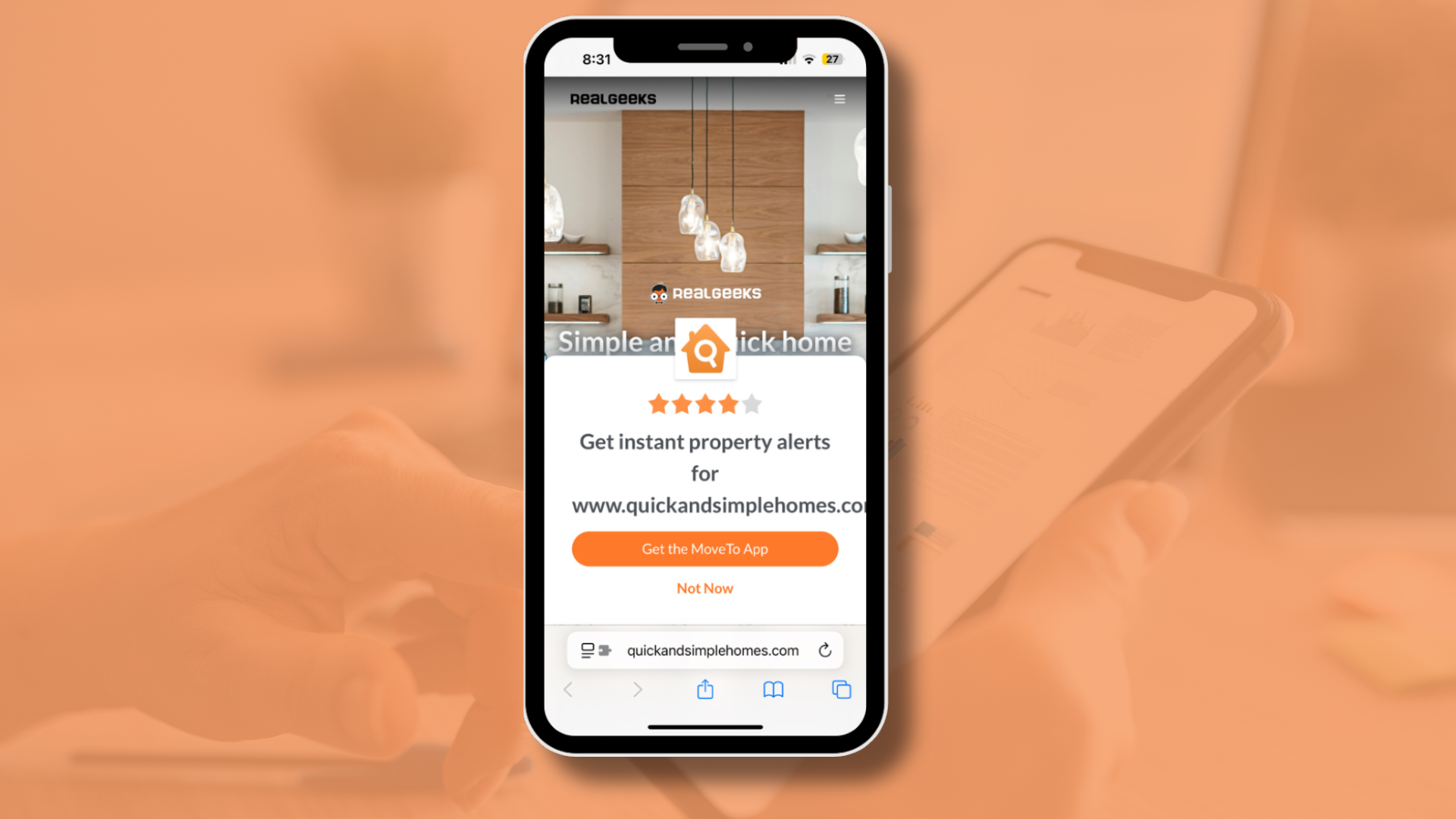
-
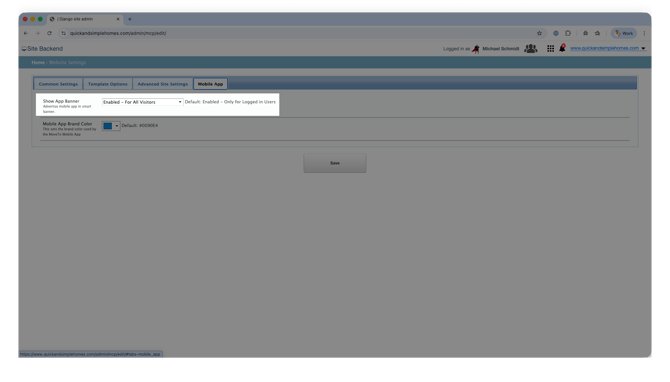
Go to your website backend by adding /admin to your domain
-
Click Site Settings
-
Select the Mobile App tab
-
Toggle the Show App Banner setting on or off
-
Click Save
When enabled, mobile users who visit your website will see a download banner. Installing the app from this banner ensures the lead is connected exclusively to your website.
Send a Direct Invitation
On the CRM Email Template page, you can create a message that includes a personalized merge field so each lead receives their own unique download link.
To make this easy, we’ve already created a template for you:
-
Go to the CRM Email Template page
-
Click Create From Library
-
Select Mobile App (MoveTo) Invitation.
-
Click Add & Edit to update the message
-
Click Add to use the message as-is
-
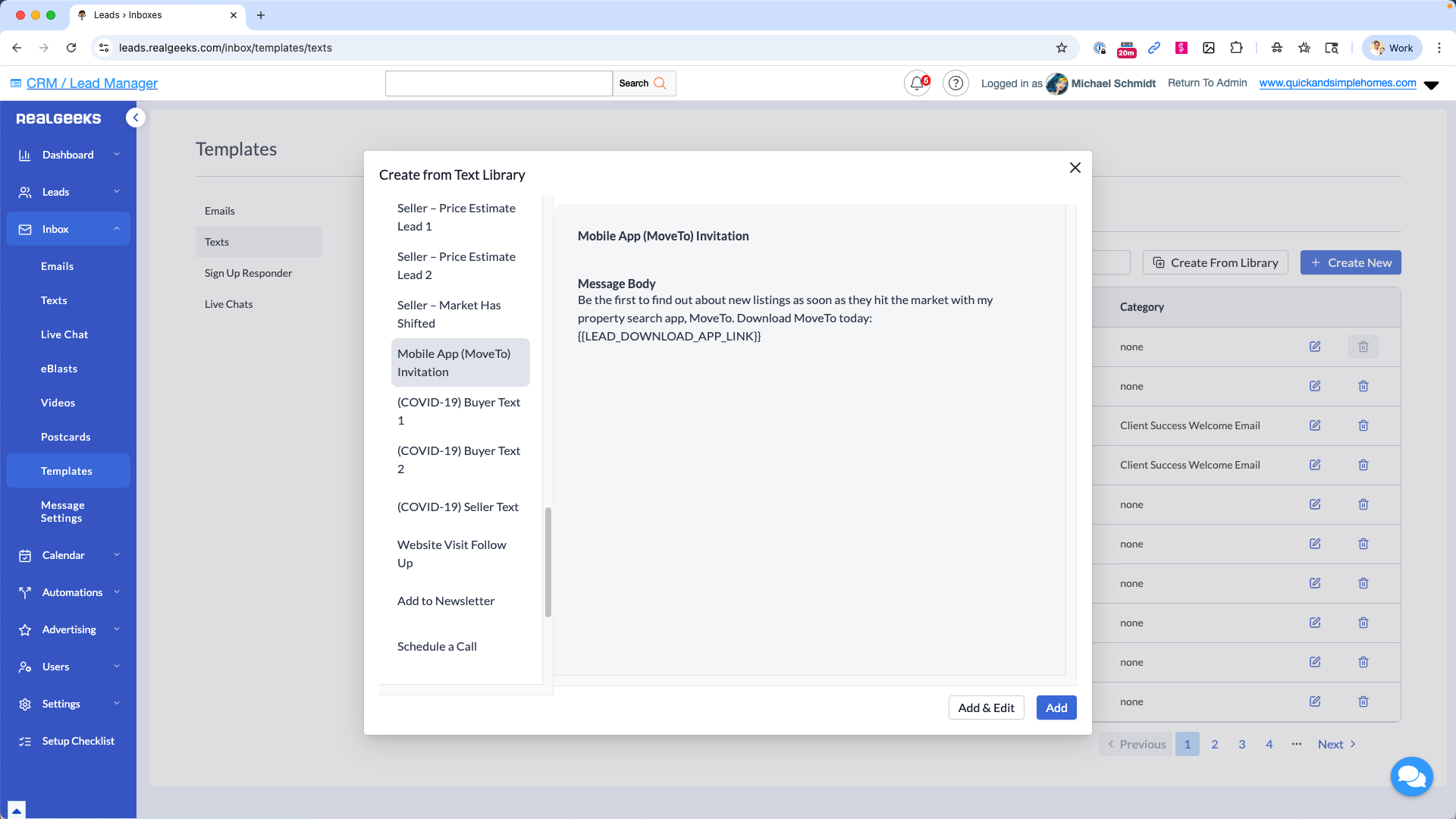
You can:
-
Send it manually via text or email
-
Add it to a Workflow so it sends automatically to new leads
When a lead downloads the app using your link, their activity is tied directly to your CRM and remains associated with you.
Key Features Your Leads Will Use
The MoveTo app mirrors your website search tools while making them mobile-friendly.
-
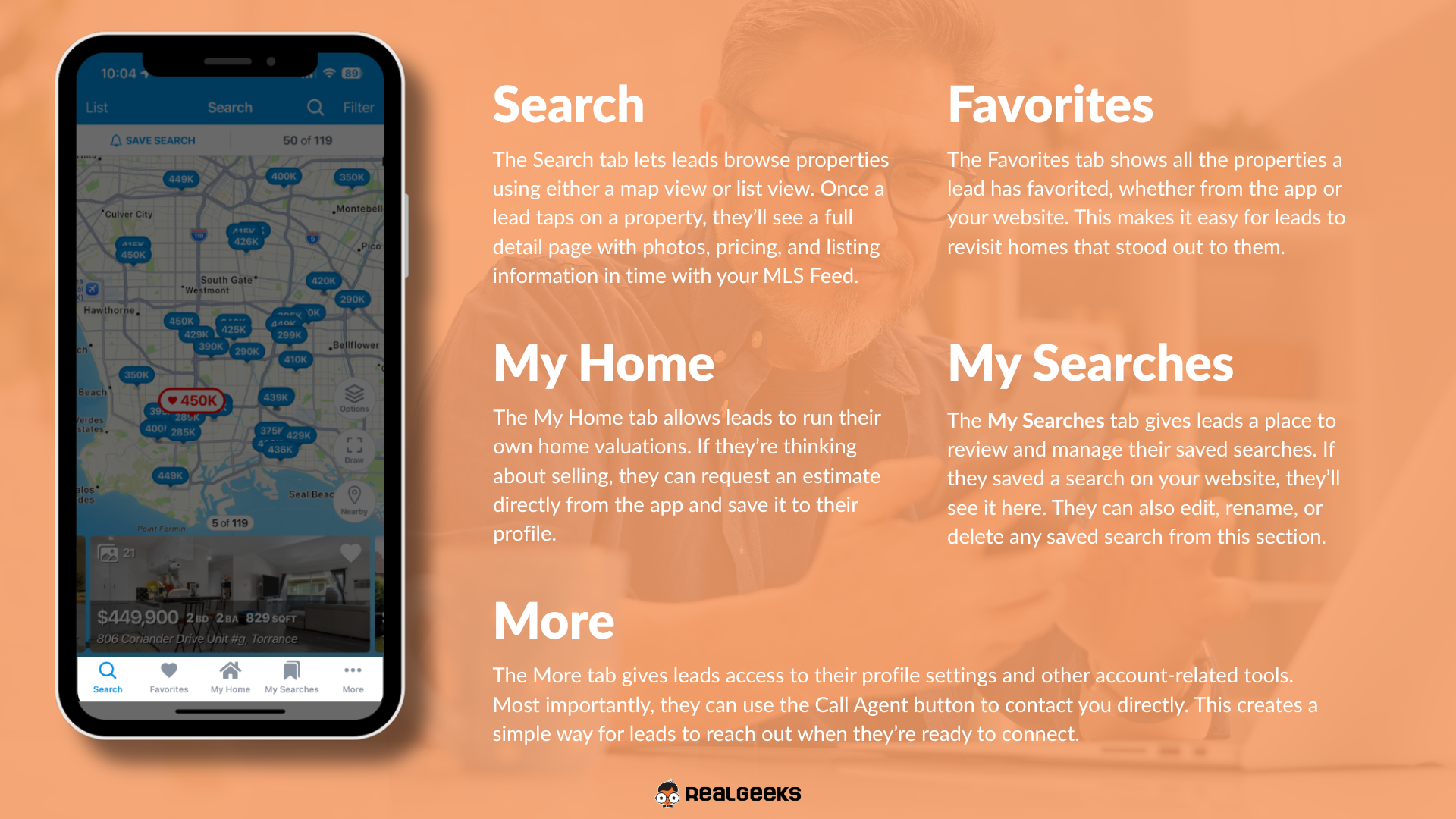
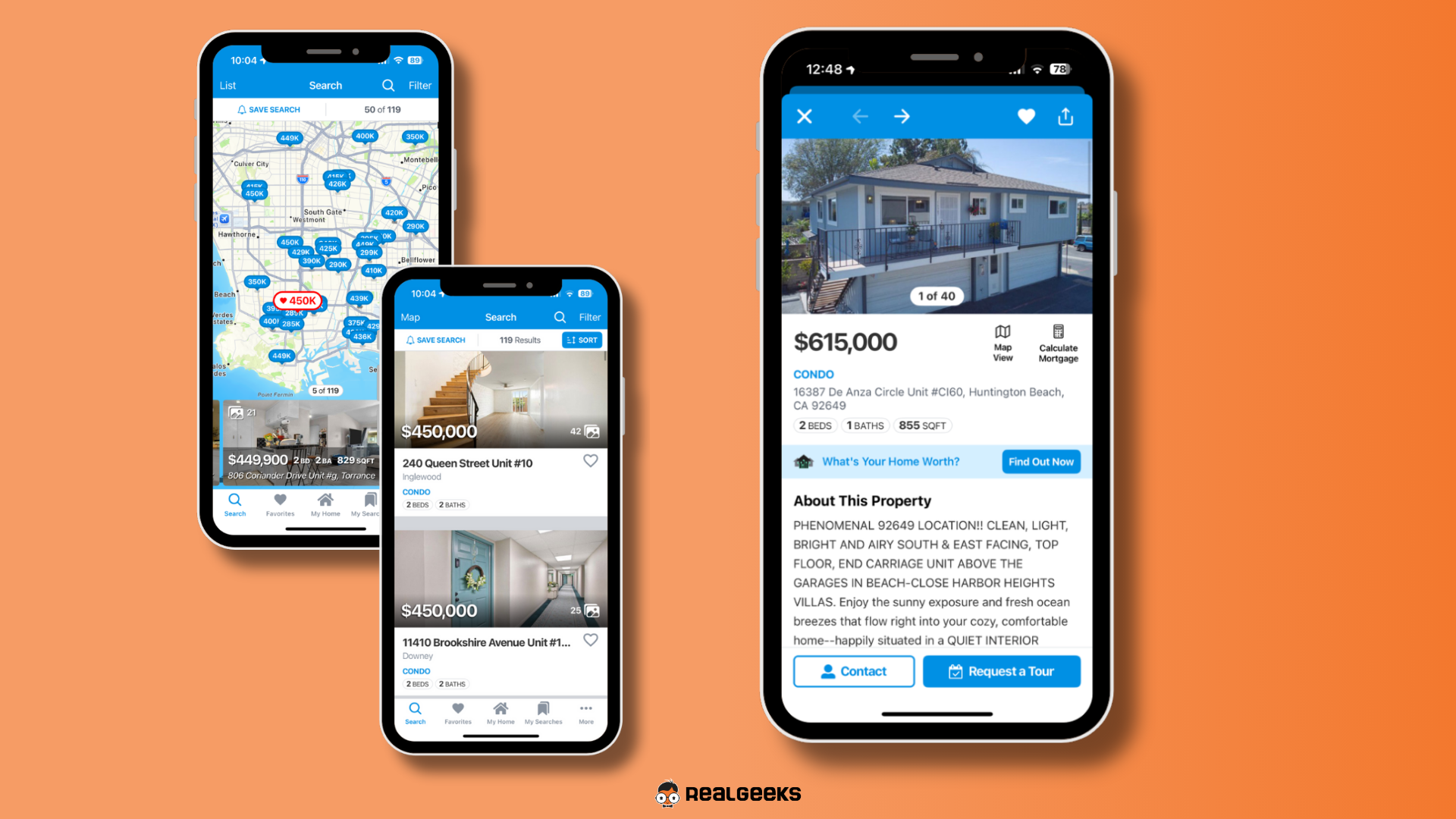
Advanced property search with map and list views
-
Favorites synced between website and app
-
Saved Searches with instant push alerts
-
Home Valuation request option
-
Sticky Contact Agent and Schedule Tour buttons
All activity syncs to your CRM so you can follow up based on real behavior.
Best Practices for Promoting the App
-
Keep the mobile banner enabled
-
Send the app invitation early in your follow-up process
-
Add the invitation to automated Workflows
-
Use app activity alerts to start relevant conversations
-
Encourage long-term leads to install the app for ongoing engagement
The sooner a lead installs your MoveTo app, the sooner they are searching inside your branded ecosystem instead of someone else’s.
Frequently Asked Questions
-
Is the MoveTo Mobile App branded to me?
Yes. When a lead downloads the app through your website or personalized link, it connects directly to your Real Geeks Website and keeps your branding and contact information visible throughout the search experience. -
Can I see what leads are doing inside the app?
Yes. As long as the lead downloads the app through your link or website banner, property views, saved listings, and searches sync with your CRM so you can follow up strategically. -
Do leads receive listing alerts in the app?
Yes. Push notifications notify leads instantly when new properties match their Saved Searches. -
Does the app replace my website?
No. The app works alongside your website and provides a mobile-first experience tied to your existing platform.
Need Help?
- Call us at 844-311-4969 (Mon–Fri, 8 AM–8 PM CST)
- Email support@realgeeks.com
- View our Live Events page for free coaching and training.
- Join the Real Geeks Mastermind Group on Facebook for peer tips and best practices