.svg)
Check Out Our Video Tutorial
Your CRM Profile Page is where your communication with leads comes to life in Lead Manager. It connects your contact information, messaging, and notifications into one place so every interaction feels personal, timely, and professional.
Each user has their own unique profile, allowing you to customize how you communicate, automate follow-up, and stay on top of your lead’s activity without extra manual work.
Need to Know
-
Your profile is unique to each user and powers your communication in the CRM
-
Contact details and merge fields personalize automated and manual messages across your team
-
Your profile image and email signature create a consistent, professional experience for leads
-
Inquiry Auto Responders and notifications help you respond quickly and stay on top of lead activity
Table of Contents
What Is the CRM Profile Page
The CRM Profile Page is where you manage your personal setup and communication preferences.
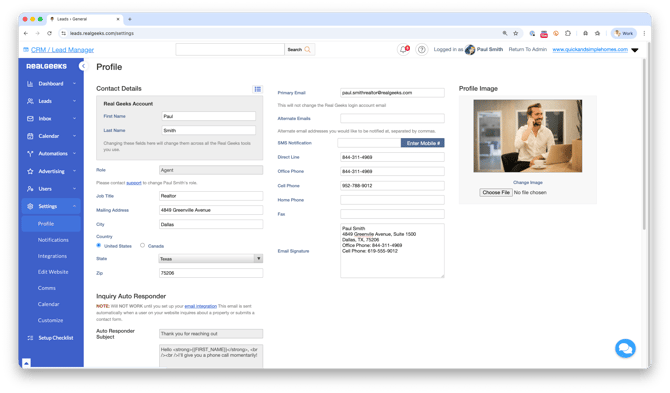 It powers how your information appears in messages, how automation works, and how you stay informed about your leads.
A completed profile helps you:
-
Personalize communication at scale using automation
-
Ensure your contact information is always included in messages
-
Deliver a more professional and consistent experience
-
Stay responsive to lead activity
Contact Details
Your contact details are the foundation of your communication in Lead Manager.
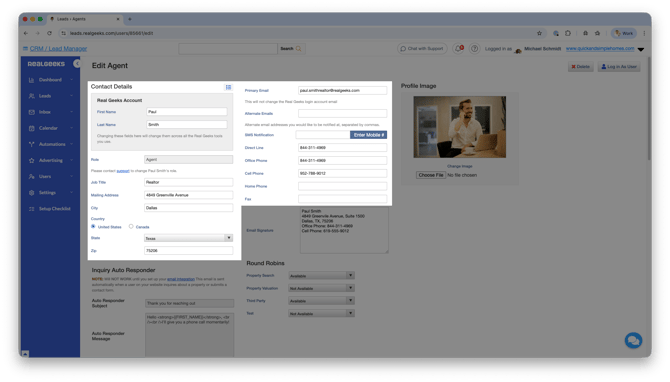 This information is used in merge fields, which automatically insert your details into emails and texts. This allows templates and automated messages to feel personal, no matter who on your team is using them.
Why this matters:
-
Saves time by eliminating manual edits
-
Keeps messaging consistent across your team
-
Ensures every lead receives accurate contact information
Profile Image
Your profile image adds a personal touch to your communication and helps build trust with your leads.
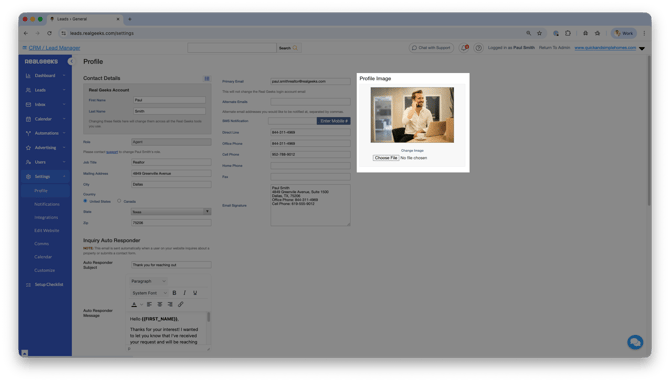 This image can appear in your messages and on your website for leads assigned to you, helping put a face to your name as you reach out.
Best practices:
-
Use a clear, professional headshot
-
Choose an image that reflects your brand
-
Avoid casual or distracting photos
Email Signature
Your email signature helps reinforce your brand and ensures every automated message includes your contact information.
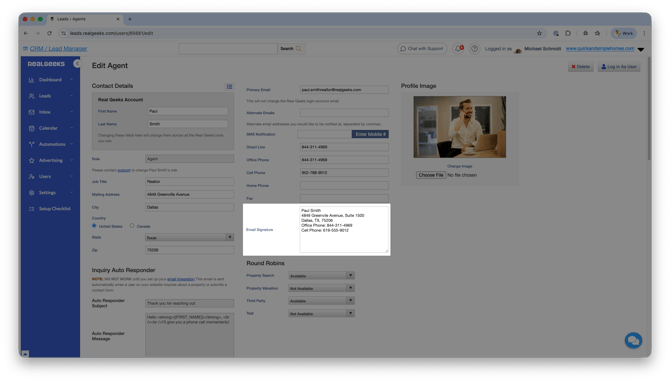 Your email signature is automatically included in listing-related emails sent from the CRM. This includes communication like saved searches and market reports, ensuring your contact information is always visible.
Please Note
The profile page email signature is text-only and does not support images or HTML. This helps protect deliverability for automated listing emails.
Best practices:
-
Keep your signature simple and professional
-
Include your website, name, phone number, and brokerage details
-
Avoid formatting that may not display properly
Inquiry Auto Responder
The Inquiry Auto Responder sends a confirmation message when a lead reaches out through your website.
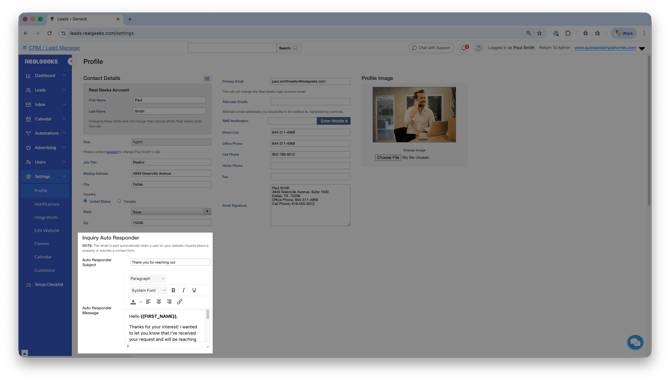 This includes when a lead:
-
Requests more information about a property
-
Submits a contact request
This message lets the lead know you received their inquiry while giving you time to review their activity and respond with more relevant information.
Best practices:
-
Keep the message short and friendly
-
Let the lead know you will follow up soon
-
Ask an open-ended question to encourage a reply
Notifications
Your notification settings control how you stay informed about lead activity.
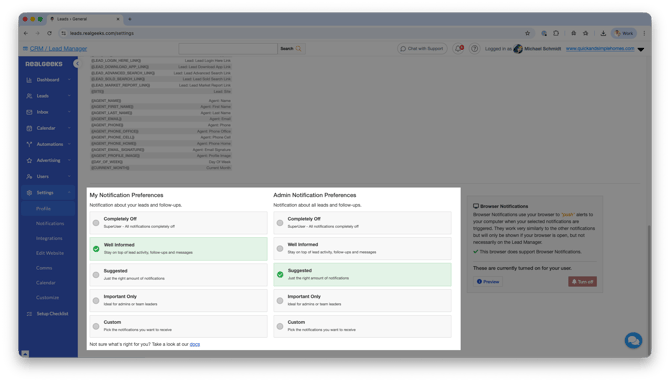
You can choose how you receive alerts when leads take important actions, such as:
-
Sending you a message
-
Returning to your website after time away
-
Favoriting or interacting with properties
Why this matters:
-
Helps you respond quickly to engaged leads
-
Keeps you aware of opportunities to follow up
-
Supports consistent communication
Round Robin Settings
If your team uses Round Robin lead assignment, your profile also controls your availability for receiving leads.
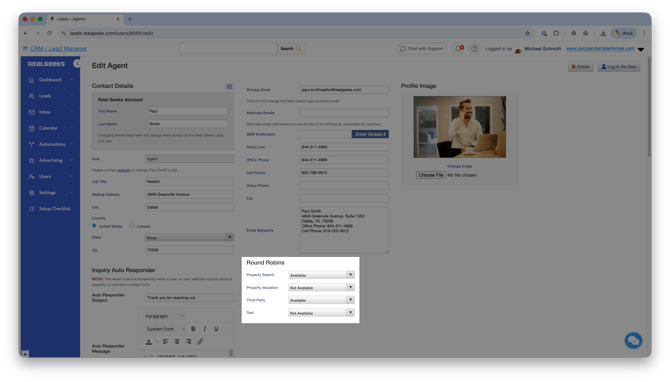 Your availability settings determine when you can be assigned new leads based on your team’s rules.
You can only adjust your availability if your site owner or admin has given you permission to do so. This setting is only visible to users with that permission enabled.
If you do not have access, your availability will be managed by your team’s admin.
Frequently Asked Questions
-
Why is my CRM profile important?
Your profile powers your communication, automation, and notifications, helping you stay consistent and responsive with leads. -
Can multiple agents use the same templates?
Yes, merge fields allow templates to automatically insert each agent’s contact information. -
Where does my email signature appear?
It is automatically included in listing emails like saved searches and market reports. -
What is the purpose of the Inquiry Auto Responder?
It confirms receipt of a lead’s inquiry and gives you time to follow up with relevant information.
Need Help?
-
Call us at 844-311-4969 (Mon–Fri, 8 AM–8 PM CST)
-
Email support@realgeeks.com
-
View our Live Events page for free coaching and training.
-
Join the Real Geeks Mastermind Group on Facebook for peer tips and best practices