.svg)
Admin Only
These actions must be completed by the Site Owner only. No action is required from other users.
A Facebook Meta Pixel is a small piece of tracking code that helps you understand how visitors interact with your Real Geeks website. It allows Facebook to track actions like page views and registrations so your ads can be optimized for better performance and stronger lead quality.
Important
Create the Meta Pixel in Facebook, then send the Pixel code to Real Geeks Support at support@realgeeks.com for installation. Installation confirmation can take up to 24–48 hours.
To speed things up and get the code added right away, call 844-311-4969.
Table of Contents
How to Create & Add Your Pixel to Real Geeks
-
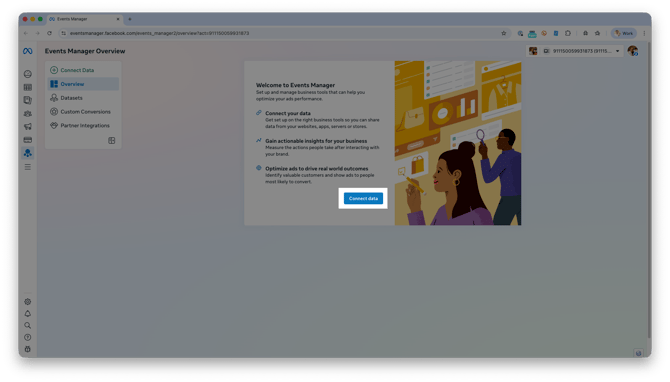
Click Connect data
-
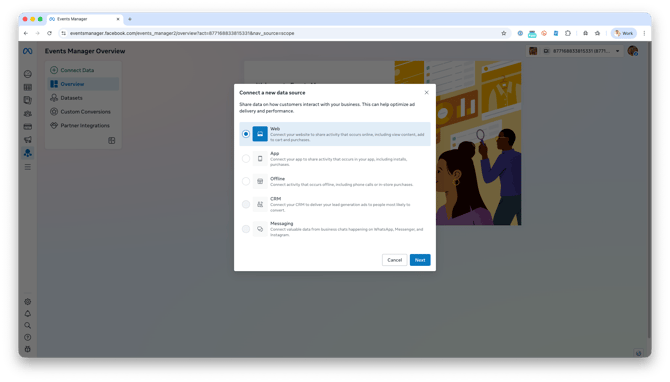
Select Web, then click Next
-
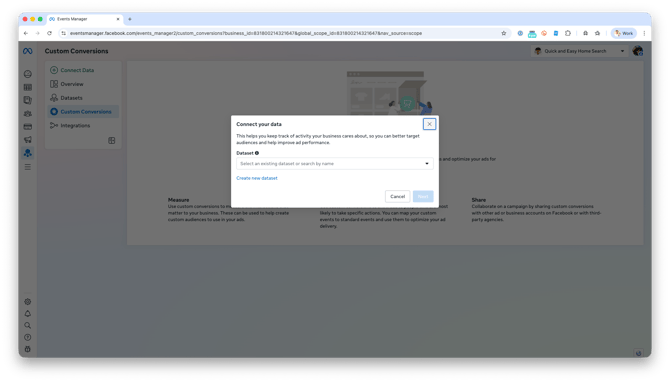
Select a Meta Dataset to track your website activity, then click Next
-
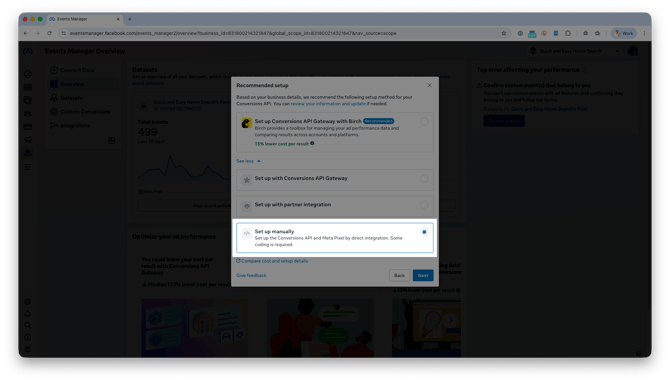
Under Recommended setup, select Set up manually, then click Next
-
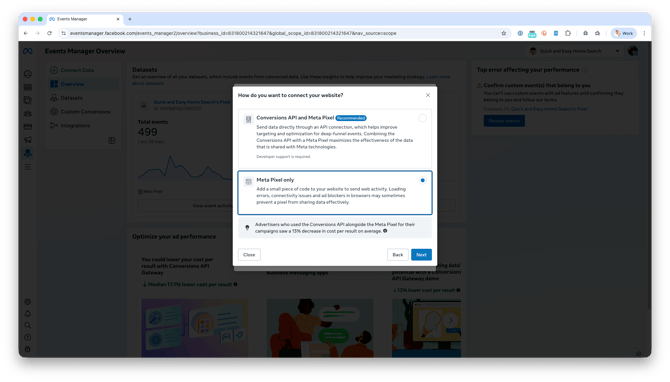
Select Meta Pixel Only, then click Next
-
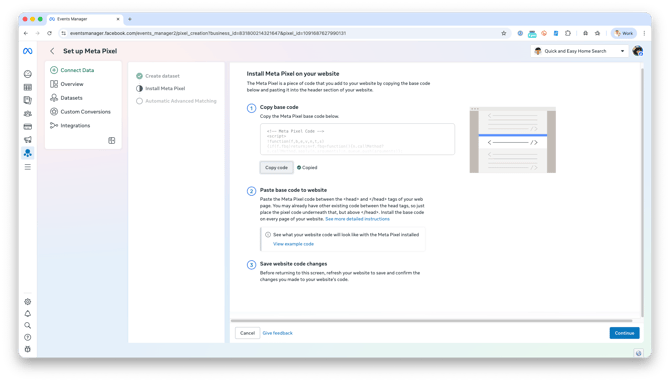
Under Copy base code, click Copy Code
-
Send the copied code to support@realgeeks.com or call 844-311-4969 to have Support install it
-
After Support confirms installation, return to Facebook and click Continue
Troubleshooting
If your Pixel does not appear to be working, review the following.
-
Confirm the correct Pixel code was sent to Support
-
Check that Support has confirmed installation
-
Allow enough time for Facebook to register activity
Frequently Asked Questions
Do I need to add the Pixel code myself?
No. Real Geeks Support installs the Pixel code for you.
How long does setup take?
Pixel installation is typically completed quickly once Support receives your code.
Can I use this Pixel for retargeting ads?
Yes. Once installed, the Pixel can be used for retargeting and conversion tracking.
Need Help?
-
Call us at 844-311-4969 (Mon–Fri, 8 AM–8 PM CST)
-
Email support@realgeeks.com
-
Visit Real Geeks University for free video courses
-
Join the Real Geeks Mastermind Group on Facebook for peer tips and best practices