.svg)
Admin Feature
Editing the website is an account owner-level permission. If you don't see this option, contact your account owner to enable these permissions for you.
Your Real Geeks Home Valuation Tool captures seller leads directly from your website. While every website includes a built-in valuation page, you can also create custom Valuation Pages with unique links, messaging, background images, and SEO settings to target specific markets.
This guide explains what Valuation Pages are, how they differ from the default page, and how to create them.
Need to Know
-
Every website includes one Default Valuation Landing Page, but you can create unlimited custom Valuation Pages
-
Custom pages allow unique URLs, images, and SEO-optimization opportunities to attract more seller leads
-
All valuation submissions create seller leads in your lead manager
Table of Contents
What Are Valuation Pages?
Valuation Pages are custom seller landing pages connected to your Home Valuation Tool. Instead of sending every seller to one general "What Is My Home Worth" page, you can create targeted pages for specific:
-
Cities
-
Neighborhoods
-
Condo communities
-
Farm areas
-
Advertising campaigns
Each Valuation Page can include:
-
A unique page name and URL
-
Opportunities for targeted SEO optimization (custom keywords, description, page title, etc...)
-
Market-specific header text
-
Custom background image or video
Targeted pages improve relevance, increase SEO visibility, and strengthen your marketing by matching your website’s messaging directly to your ads, mailers, and campaigns.
How to Create a Valuation Page
Follow these steps to create a custom Valuation Page:
-
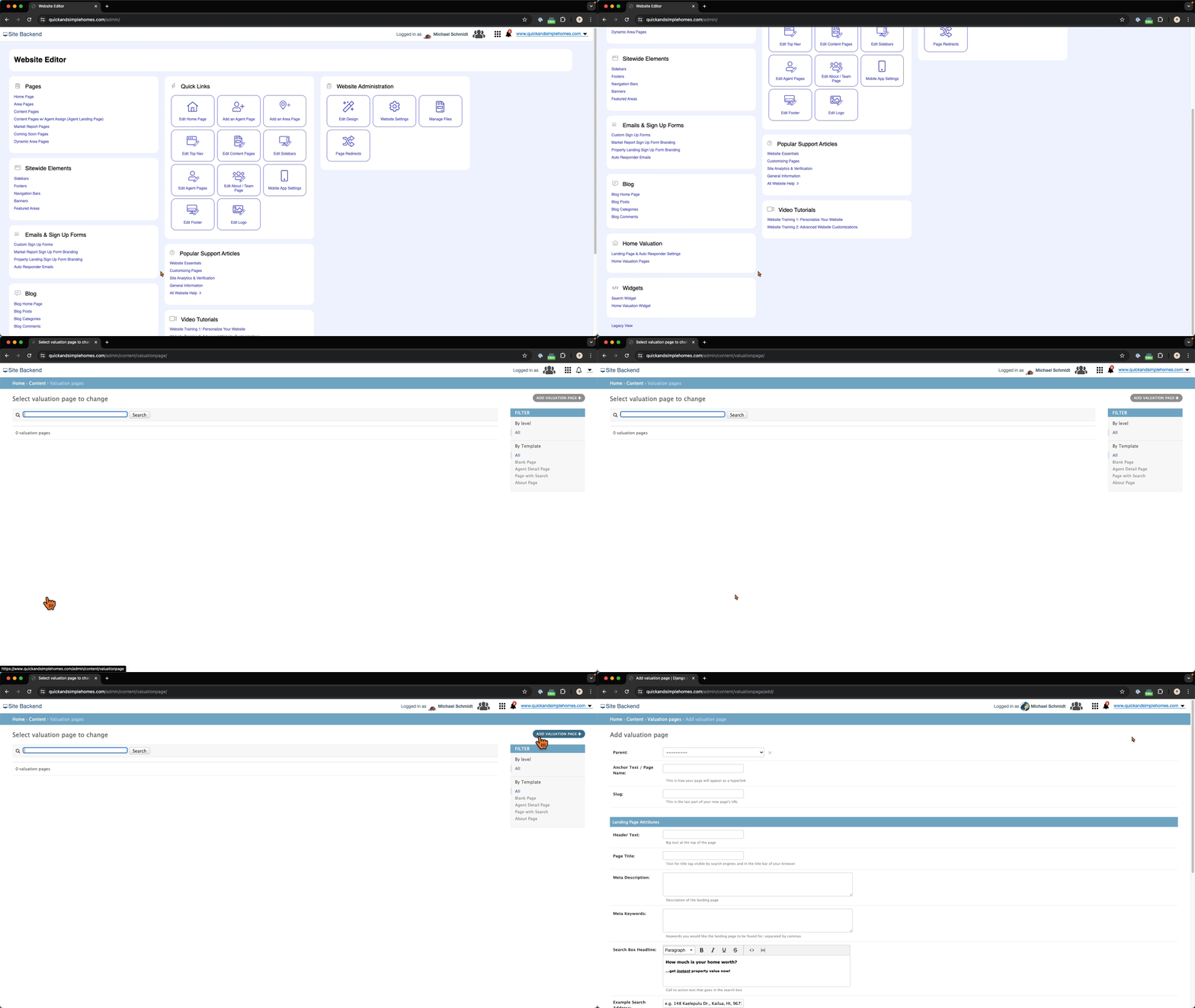
Open your website editor by adding /admin to the end of your website address (example: www.yourwebsite.com/admin)
-
Under Home Valuation, select Home Valuation Pages
-
Click Add Valuation Page
-
Enter the Page Details:
-
URL Parent – Groups related pages together and creates a clean, organized URL structure
-
Area Name – The neighborhood or location you are targeting
-
Page Title – The headline shown on the page and in search results
-
Meta Description – A short summary shown in search engines
-
Meta Keywords – Keywords related to the area, separated by commas
-
Anchor Text – An internal label to help you find the page in your dashboard
-
Slug – The final part of the page URL. Keep it short, simple, and location-focused
-
-
Enter the Page Content:
-
Header Text – The main message displayed at the top of the page. Make this location-specific and benefit-driven
-
Search Box Headline – The short instruction above the address field (example: "Enter your Lemon Grove home address")
-
Example Search Address – A sample property address shown inside the field to guide visitors on what to enter
-
-
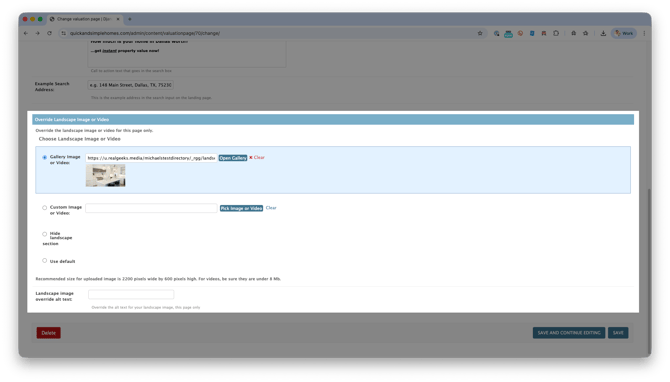
Select your landing page background image:
-
Use a Gallery Image or Video
-
Upload a Custom Image or Video
-
Select Default (uses the same image as your Default Valuation Landing Page)
-
-
Click Save
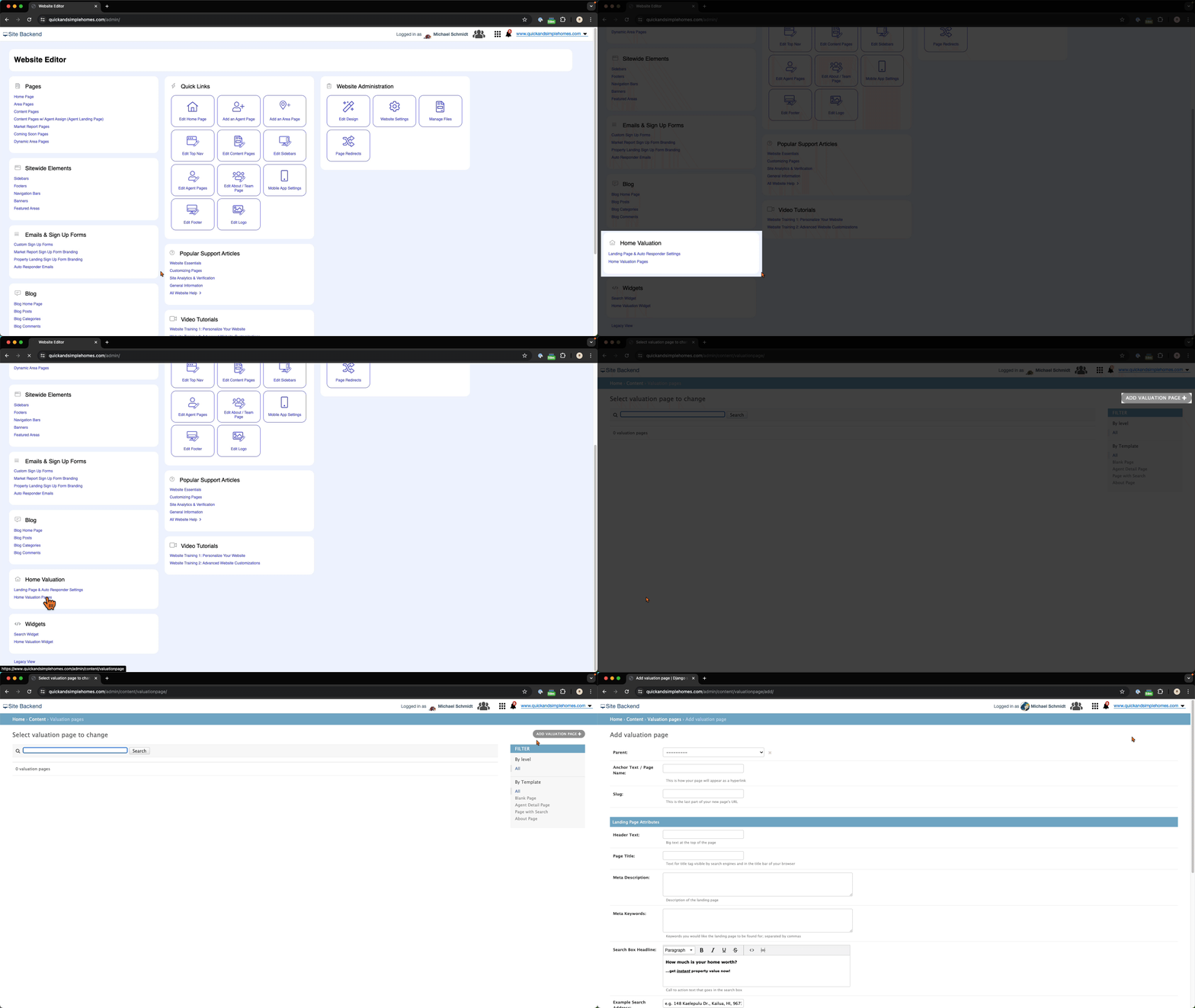
Your new page will now have its own unique link and SEO structure.
Default Valuation Landing Page vs. Custom Valuation Pages
Understanding the difference helps you build a stronger seller lead strategy.
Default Valuation Landing Page
-
One general seller page
-
Broad messaging
-
Shared background design
-
Ideal for navigation menus and general traffic
Custom Valuation Pages
-
Unlimited pages
-
Unique URLs for each market
-
Personalized messaging
-
Optimized for neighborhood SEO
-
Ideal for:
-
Facebook ads
-
Google Ads
-
Direct mail campaigns
-
QR codes
-
Neighborhood email outreach
-
Bottom Line: The Default Valuation Landing Page captures general traffic while Custom Valuation Pages help you dominate specific markets.
Need Help?
-
Call us at 844-311-4969 (Mon–Fri, 8 AM–8 PM CST)
-
Email support@realgeeks.com
-
Visit Real Geeks University for free video courses
-
Join the Real Geeks Mastermind Group on Facebook for peer tips and best practices