.svg)
Admin Feature
Editing the website is an account owner-level permission. If you don't see this option, contact your account owner to enable these permissions for you.
Facebook Login allows leads to create an account on your website using their existing Facebook credentials. This makes registration quick, familiar, and easy, helping you reduce drop-off and capture more leads. This guide explains how the feature works, why it matters for lead conversion, and how to enable or disable it on your site.
Need to Know
-
Facebook Login increases lead registrations by making sign-up quicker and easier for visitors.
-
Due to Facebook privacy settings, Facebook never shares a lead's phone number automatically. Your website will prompt the lead to provide a phone number until one is provided.
Table of Contents
- How Facebook Login Works
- How to Enable or Disable Facebook Login
- Best Practices for Managing Email-Only Leads
- Should You Use Facebook Login?
- Troubleshooting
- Frequently Asked Questions
- Need Help?
- Related Articles
How Facebook Login Works
This feature allows leads to sign up on your website using their facebook contact information. this means you collect the email address the lead uses on their Facebook profile.
Due to Facebook privacy policy, a phone number is not automatically provided on sign up. Instead, the website will prompt the lead to enter a phone number. Once the number is updated on the website, the lead's profile will also update in the CRM.
Because of this, leads may appear in the CRM without a phone number until you update their phone number in the CRM or the lead adds their phone number through the website.
How to Enable or Disable Facebook Login
This section teaches you how to turn Facebook Login on or off and how phone number requirements work.
Step-by-Step Instructions
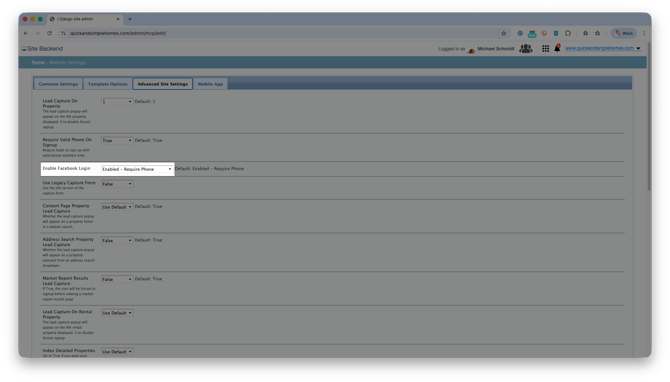
- Go to your website backend by adding /admin to the end of your domain (example: www.website.com/admin)
- Click Site Settings
- Click Advanced Site Settings
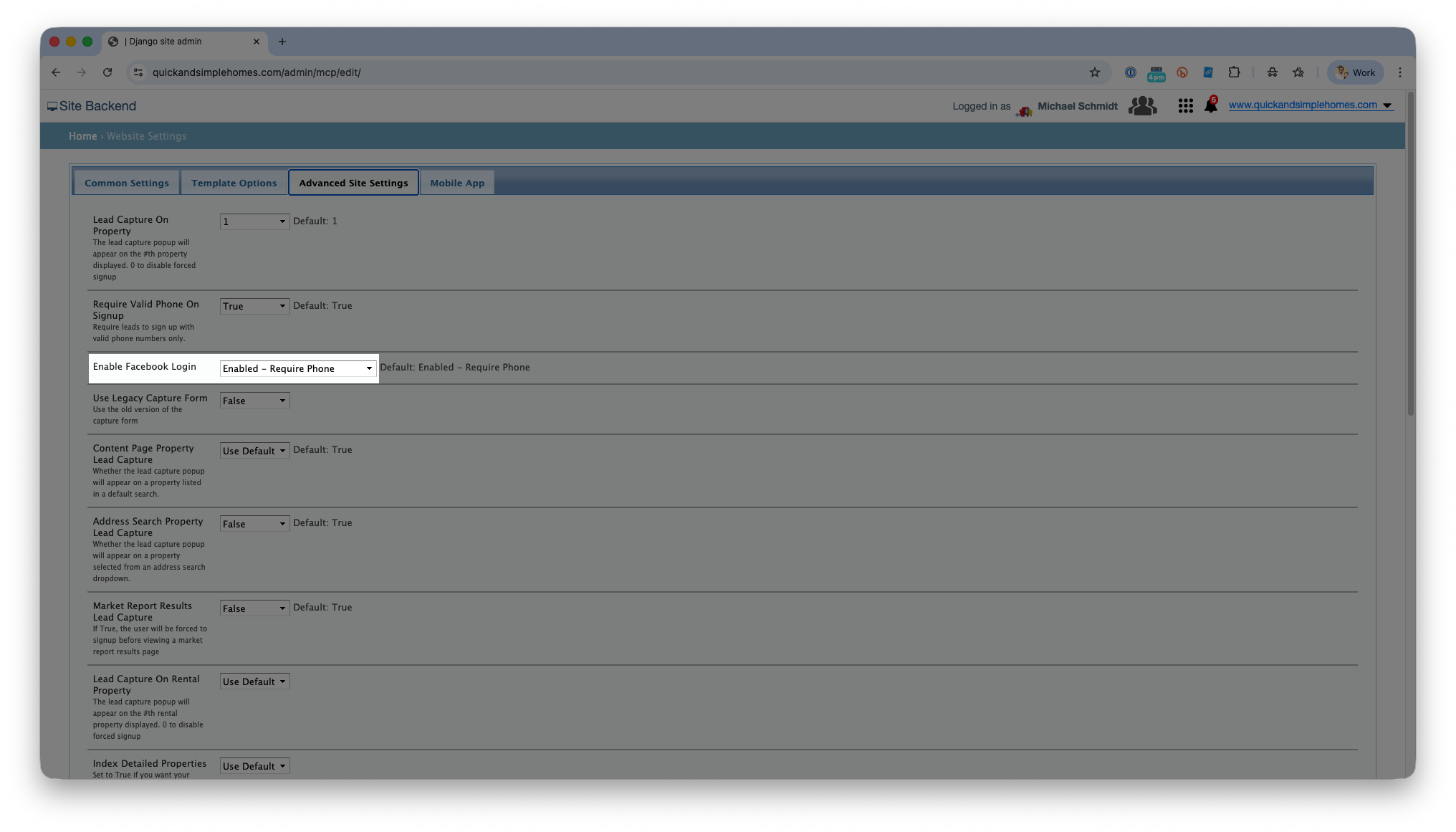
- In the Enable Facebook Login menu, select one of the following options:
- Use Default: Requires a phone number
- Enabled – Require Phone: Facebook Login is enabled and a phone number is required
- Enabled – Don't Require Phone: Facebook Login is enabled and a phone number is not required
- Disabled: Removes the Facebook Login option from your website
- Click Save
Important
Enabled – Require Phone shows a prompt the lead cannot close, so they must enter a phone number to continue browsing your website.
Enabled – Don't Require Phone shows a prompt the lead can close, allowing them to browse without entering a phone number.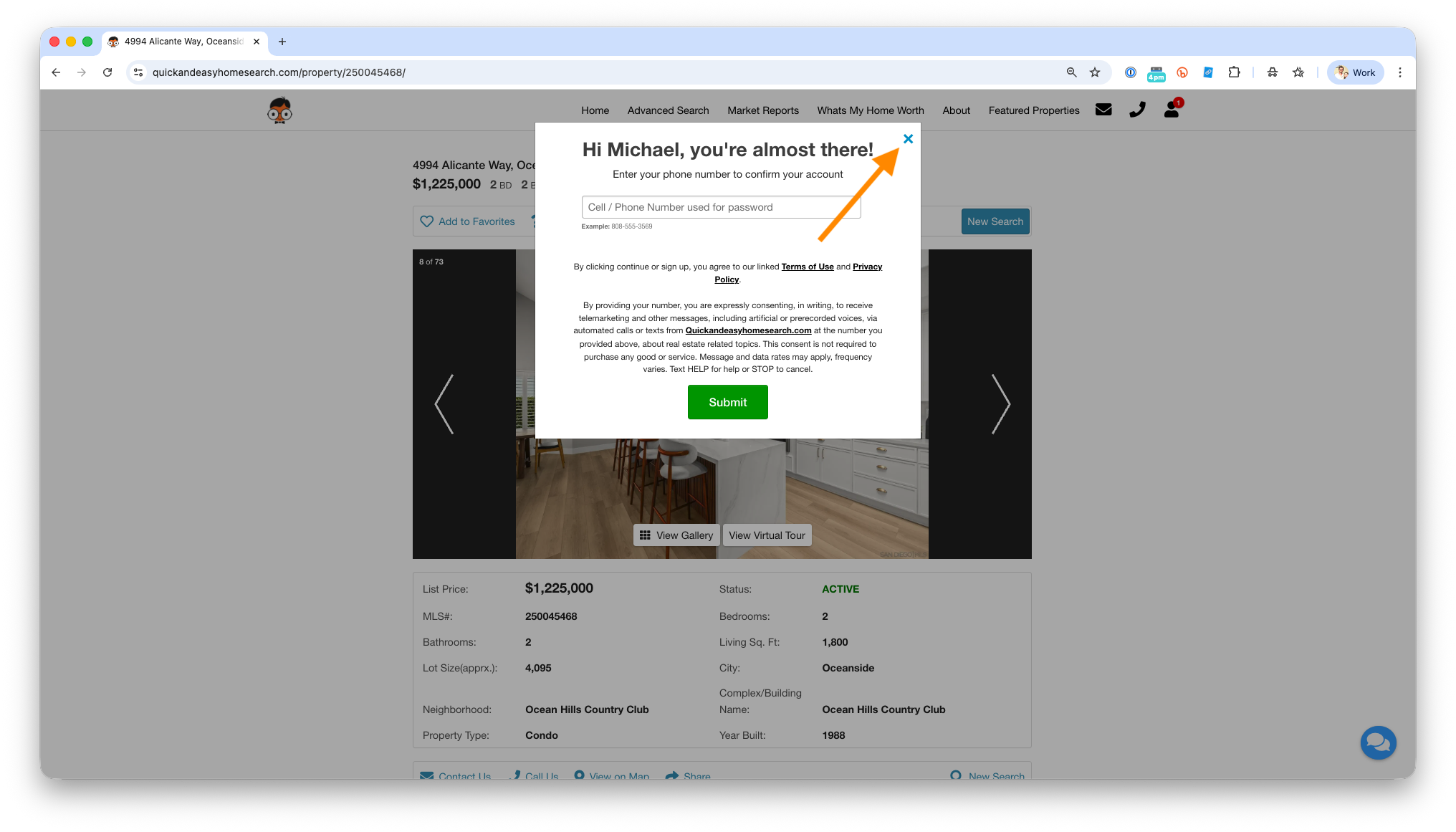
Best Practices for Managing Email-Only Leads
Many leads who register with Facebook Login will appear as email-only at first. These best practices can help you collect additional information and maintain strong follow-up.
-
Use reverse lookup tools like ExactDial (https://exactdial.com/) or ThatsThem (https://www.thatsthem.com/) to look up a potential phone number based on the lead's email address
-
Gently ask for a preferred phone number in your early email conversations and let the lead know it's simply to keep them updated with the most helpful and timely information
-
The Buyer Leads - Bad Number workflow is a great starting point to help you request and collect a phone number from leads who sign up without one. You can find this workflow in the Real Geeks Workflow Library. Some leads may still prefer email communication only. In those cases, once the initial workflow finishes, subscribe the lead to a long-term email workflow.
Should You Use Facebook Login?
This section helps you decide whether Facebook Login is a good fit for your business.
Pros
- More lead sign-ups due to an easy one-click registration process
- Familiar sign-in option that feels trustworthy for many visitors
- Captures leads who might not register otherwise because longer forms feel like too much effort
Cons
- Facebook does not share phone numbers, so many leads will appear as email-only unless they manually enter their number
- Missing phone numbers may impact agents who rely heavily on calling as their primary follow-up strategy
In Summary Facebook Login can significantly increase sign-ups because it removes barriers for visitors. However if having a phone number for every lead right away is essential to your workflow, you may prefer not to use this feature or pair it with the best practices for managing email-only leads.
Troubleshooting
This section covers common issues and how to resolve them.
-
Lead registered without a phone number: This is normal when someone uses Facebook Login. Because Facebook does not share phone numbers, the lead will only come through with an email unless they enter their number manually.
-
Lead keeps getting asked for a phone number: Your website will continue prompting the lead each time they visit until they choose to enter a phone number. This is how the system helps you collect the missing information.
-
Facebook Login button is not showing: Double-check your Site Settings to make sure Facebook Login is enabled. If it is enabled and still not showing, try refreshing the page or testing on a different browser.
-
Lead email looks outdated: Some Facebook users created their accounts years ago and still have older emails tied to them. The email provided to Real Geeks is whatever email the lead currently has on their Facebook profile.
Frequently Asked Questions
Does Facebook share a phone number with Real Geeks?
No. Facebook does not share phone numbers with any third-party tools, so your leads will only come through with an email unless they enter their number themselves.
If I select Require Phone, will Real Geeks automatically receive the number?
Not automatically. The lead will still need to type in their phone number on your website. Once they do, it will update in your CRM.
Why do I have so many email-only leads?
This is normal with Facebook Login. Since Facebook does not pass phone numbers to Real Geeks, you will naturally see more email-only leads unless the lead chooses to add their number.
Will Real Geeks keep prompting for the phone number?
Yes. Your website will continue asking the lead for their phone number each time they visit until they decide to enter it.
Need Help?
-
Call us at 844-311-4969 (Mon–Fri, 8 AM–8 PM CST)
-
Email us at support@realgeeks.com
-
Visit Real Geeks University for free video courses
-
Join the Real Geeks Mastermind on Facebook for peer tips and best practices